

Your carrier account
Module: Settings · For: Carrier users · Page address: /carrier-portal/settings/account
How to get there
Section titled “How to get there”Settings → Account
Who can use this page
Section titled “Who can use this page”Needs: No module permission: every signed-in member of the company can open it.
| Seat | Can open it |
|---|---|
| Owner / Admin | Yes |
| Manager | Yes |
| User | Yes |
Actions on this page and the permission each needs
Section titled “Actions on this page and the permission each needs”| Action | Permission | Notes |
|---|---|---|
| Cancel | Any signed-in member | Must be granted on its own (not part of Manage) |
| Save changes | Any signed-in member | Manage also grants it |
| Change photo | Any signed-in member | Manage also grants it |
| Change password | Any signed-in member | Manage also grants it |
| Export 1 rows to CSV | Any signed-in member | Manage also grants it |
What this page tells you
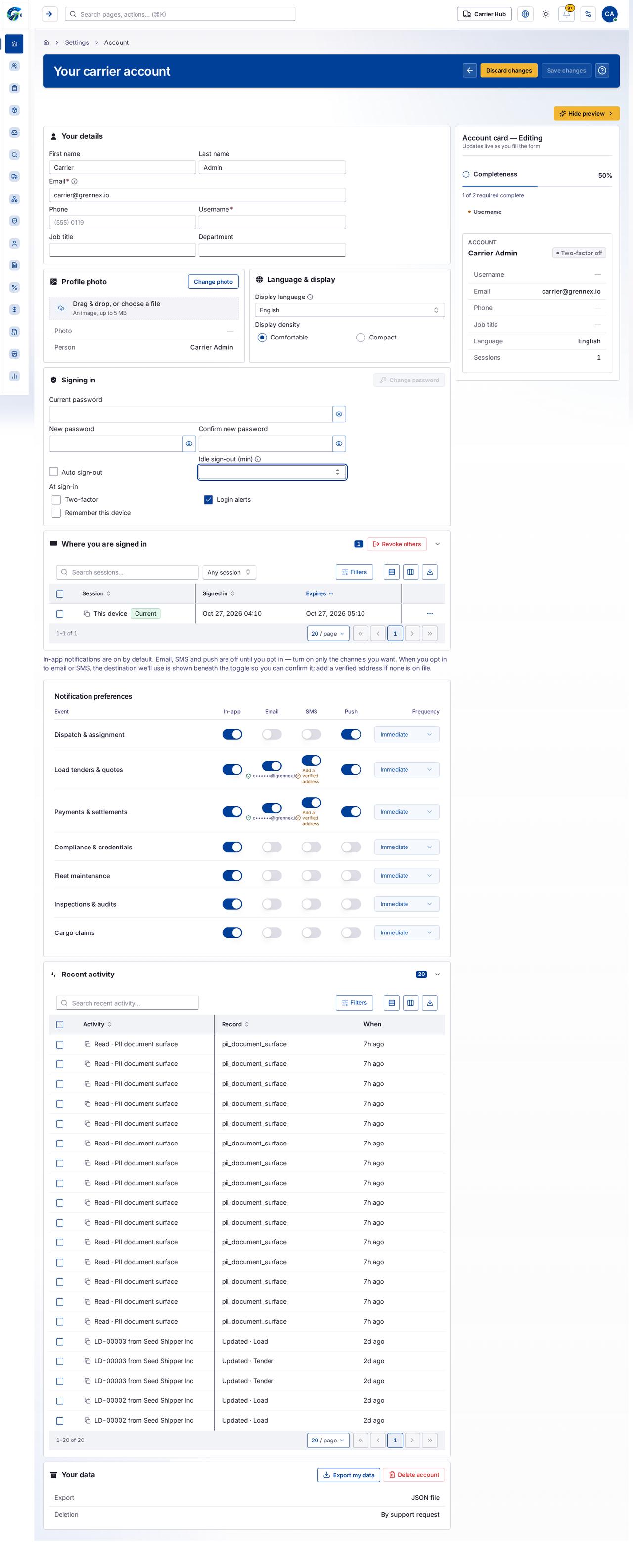
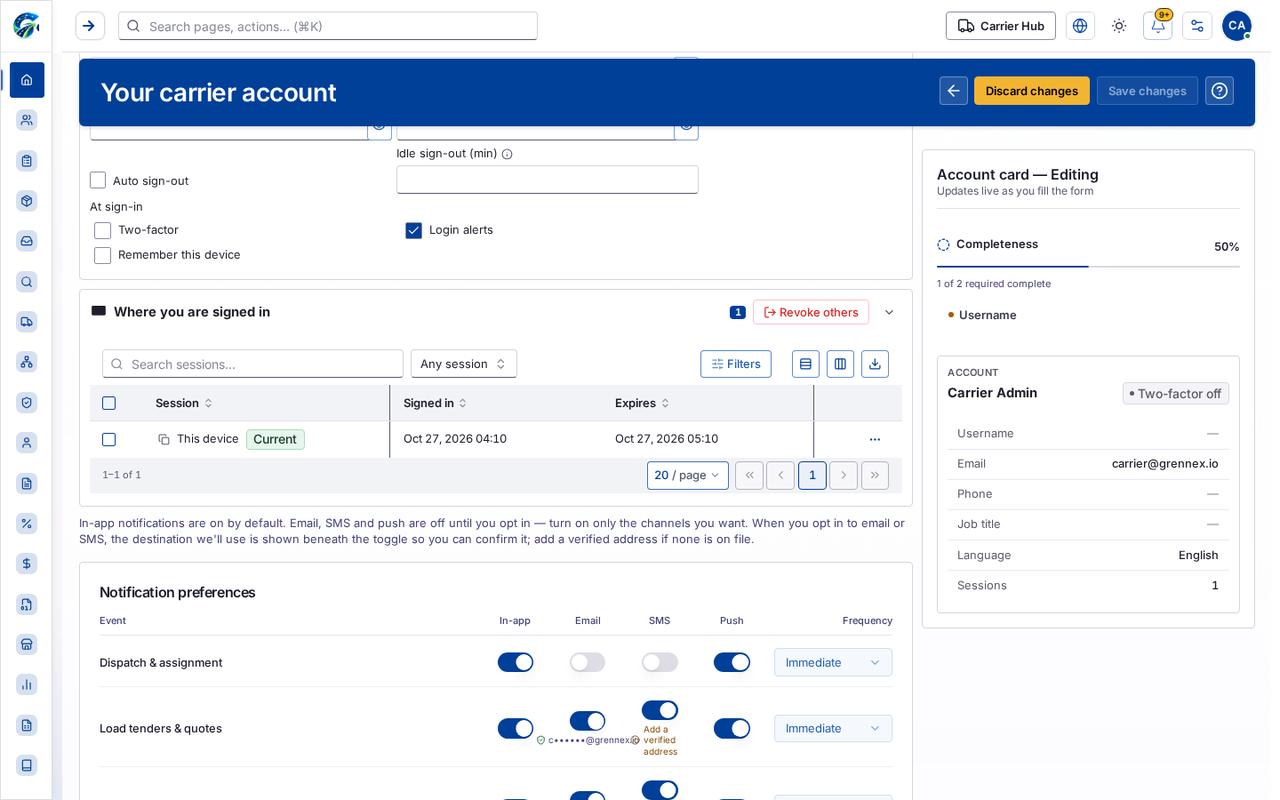
Section titled “What this page tells you”In-app notifications are on by default. Email, SMS and push are off until you opt in — turn on only the channels you want. When you opt in to email or SMS, the destination we’ll use is shown beneath the toggle so you can confirm it; add a verified address if none is on file.
What you see
Section titled “What you see”- Your details
- Profile photo
- Language & display
- Signing in
- Where you are signed in
- Notification preferences
Tab: First page
Tab: Previous page
Tab: Page 1
Tab: Next page
Tab: Last page 1
Tab: First page
What you can do
Section titled “What you can do”- Cancel
- Discard changes
- Save changes
- Hide preview
- Change photo
- Change password
- Show current password
- Show new password
- Show password confirmation
- Revoke others
- Hide Where you are signed in
- Filters
- Export 1 rows to CSV
- Session
- Signed in
- Expires
Fields
Section titled “Fields”| Field | Required | Type | Example |
|---|---|---|---|
| First name | No | textbox | Carrier |
| Last name | No | textbox | Admin |
| Yes | textbox | carrier@grennex.io |
|
| Phone | No | textbox | (555) 0119 |
| Username | Yes | textbox | |
| Job title | No | textbox | |
| Department | No | textbox | |
| Display language | No | combobox | English |
| Comfortable | No | radio | |
| Compact | No | radio | |
| Current password | No | textbox | |
| New password | No | textbox | |
| Confirm new password | No | textbox | |
| Auto sign-out | No | checkbox | |
| Idle sign-out (min) | No | spinbutton | |
| Two-factor | No | checkbox | |
| Login alerts | No | checkbox | |
| Remember this device | No | checkbox | |
| Session | No | combobox | Any session |
| Dispatch & assignment — In-app notifications | No | switch | |
| Dispatch & assignment — Email notifications | No | switch | |
| Dispatch & assignment — SMS notifications | No | switch | |
| Dispatch & assignment — Push notifications | No | switch | |
| Dispatch & assignment — delivery frequency | No | combobox | Immediate |
| Load tenders & quotes — In-app notifications | No | switch | |
| Load tenders & quotes — Email notifications | No | switch | |
| Load tenders & quotes — SMS notifications | No | switch | |
| Load tenders & quotes — Push notifications | No | switch | |
| Load tenders & quotes — delivery frequency | No | combobox | Immediate |
| Payments & settlements — In-app notifications | No | switch | |
| Payments & settlements — Email notifications | No | switch | |
| Payments & settlements — SMS notifications | No | switch | |
| Payments & settlements — Push notifications | No | switch | |
| Payments & settlements — delivery frequency | No | combobox | Immediate |
| Compliance & credentials — In-app notifications | No | switch | |
| Compliance & credentials — Email notifications | No | switch | |
| Compliance & credentials — SMS notifications | No | switch | |
| Compliance & credentials — Push notifications | No | switch | |
| Compliance & credentials — delivery frequency | No | combobox | Immediate |
| Fleet maintenance — In-app notifications | No | switch | |
| Fleet maintenance — Email notifications | No | switch | |
| Fleet maintenance — SMS notifications | No | switch | |
| Fleet maintenance — Push notifications | No | switch | |
| Fleet maintenance — delivery frequency | No | combobox | Immediate |
| Inspections & audits — In-app notifications | No | switch | |
| Inspections & audits — Email notifications | No | switch | |
| Inspections & audits — SMS notifications | No | switch |
Loading, empty and error states
Section titled “Loading, empty and error states”Loading state
Last updated 2026-10-27