

New invoice
Module: Financials · For: Carrier users · Page address: /carrier-portal/financials/ar/invoices/new/edit
How to get there
Section titled “How to get there”Finance → Sales & Payments → Accounts Receivable → New invoice
Who can use this page
Section titled “Who can use this page”Needs: Create permission on the Financials module.
| Seat | Can open it |
|---|---|
| Owner / Admin | Yes |
| Manager | Yes |
| User | Yes |
Actions on this page and the permission each needs
Section titled “Actions on this page and the permission each needs”| Action | Permission | Notes |
|---|---|---|
| Cancel | Delete on Financials | Must be granted on its own (not part of Manage) |
| Create invoice | Create on Financials | Manage also grants it |
| New | Create on Financials | Manage also grants it |
| Add line | Create on Financials | Manage also grants it |
| Edit notes | Edit on Financials | Manage also grants it |
What this page tells you
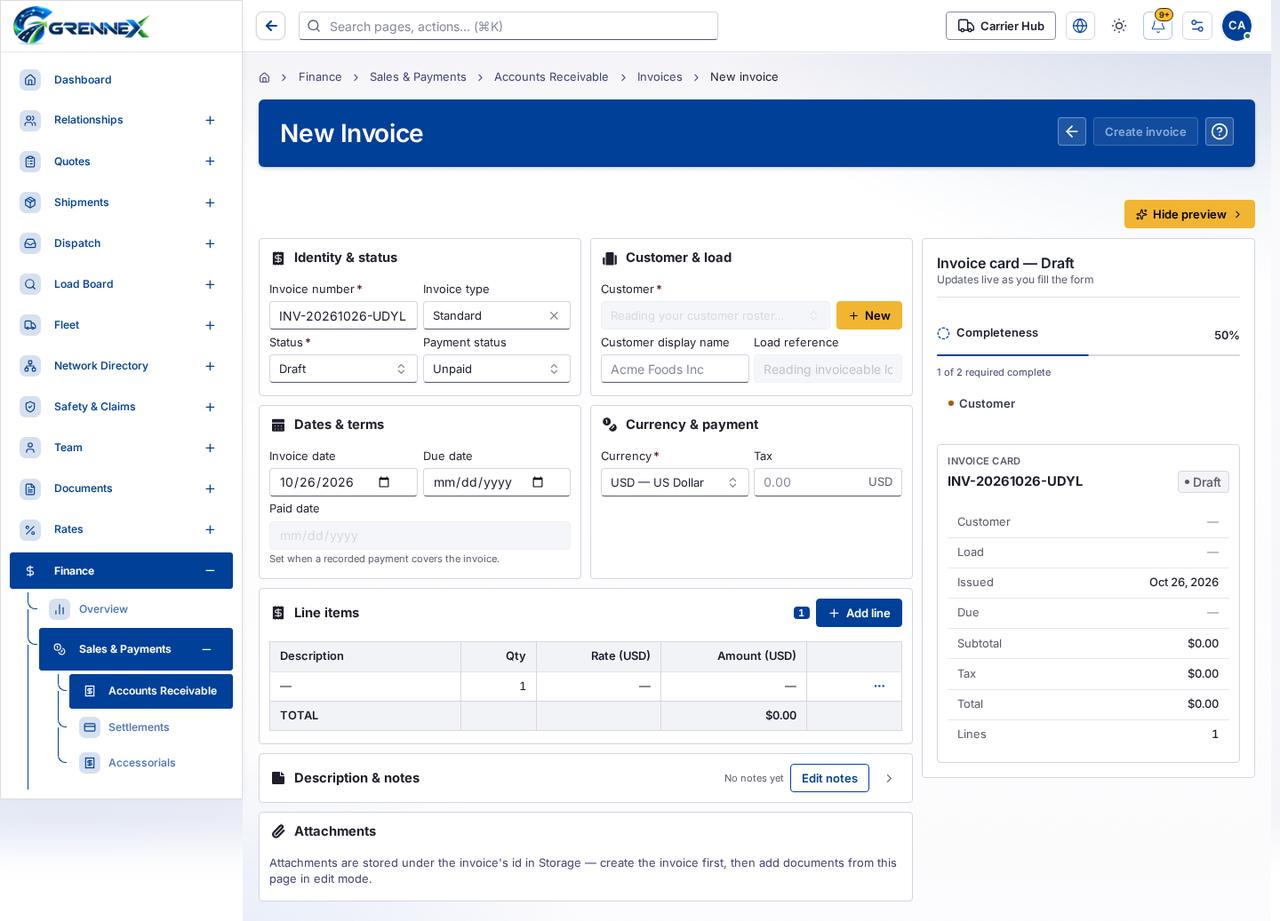
Section titled “What this page tells you”Set when a recorded payment covers the invoice. Attachments are stored under the invoice’s id in Storage — create the invoice first, then add documents from this page in edit mode.
What you see
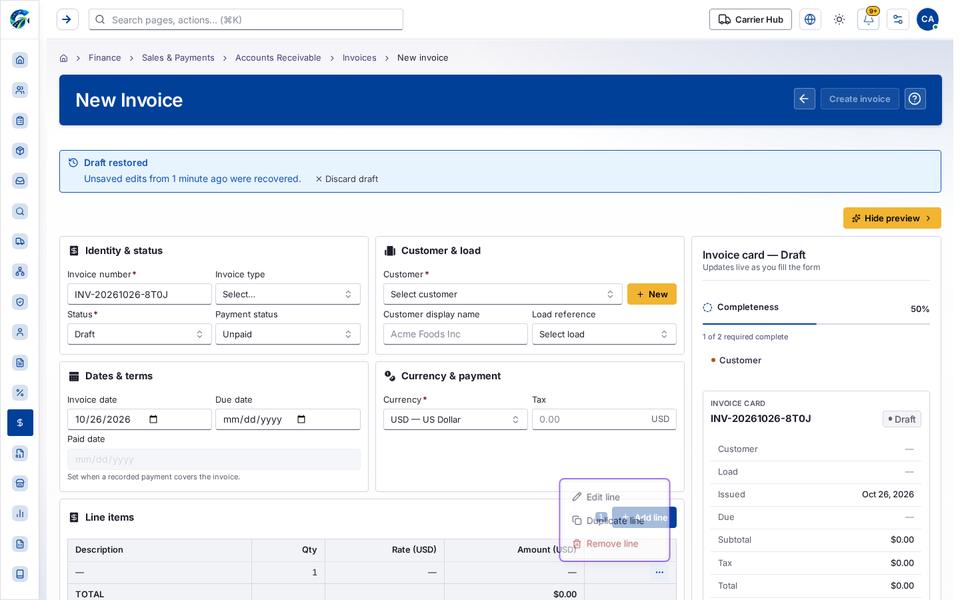
Section titled “What you see”- Identity & status
- Customer & load
- Dates & terms
- Currency & payment
- Line items
- Description & notes
- Attachments
- Invoice card — Draft
- INV-20261026-UDYL
What you can do
Section titled “What you can do”- Cancel
- Create invoice
- Hide preview
- Clear selection
- New
- Add line
- Edit notes
- Show Description & notes
- Customer
Fields
Section titled “Fields”| Field | Required | Type | Example |
|---|---|---|---|
| Invoice number | Yes | textbox | INV-20260916-4471 |
| Invoice type | No | combobox | Standard |
| Status | Yes | combobox | Draft |
| Payment status | No | combobox | Unpaid |
| Customer | Yes | combobox | Reading your customer roster… |
| Customer display name | No | textbox | Acme Foods Inc |
| Load reference | No | textbox | Reading invoiceable loads… |
| Invoice date | No | textbox | 2026-10-26 |
| Due date | No | textbox | |
| Paid date | No | textbox | |
| Currency | Yes | combobox | USD — US Dollar |
| Tax | No | spinbutton |
When there is nothing to show
Section titled “When there is nothing to show”- “No notes yet”
Loading, empty and error states
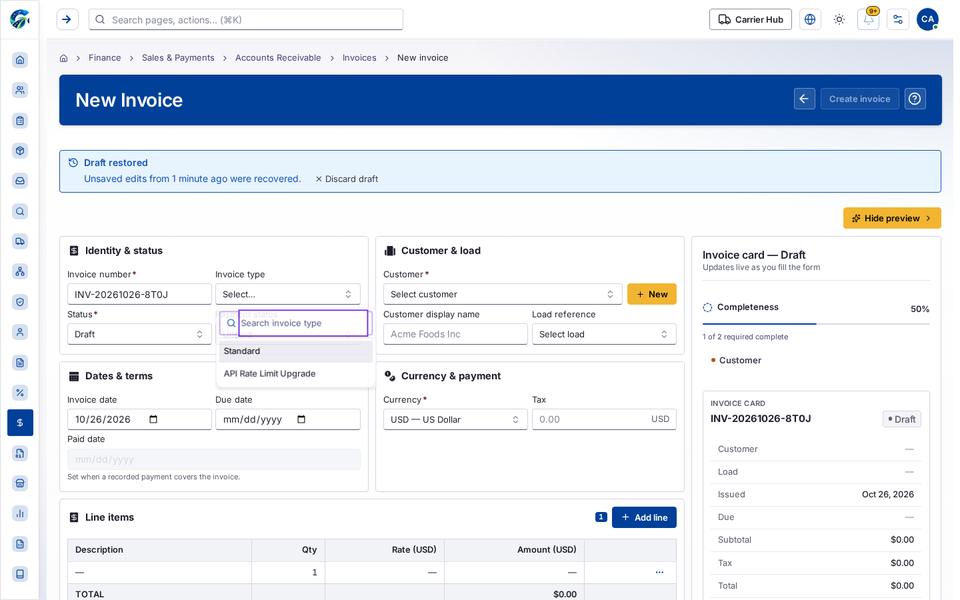
Section titled “Loading, empty and error states”Dropdown-Status state
Loading state
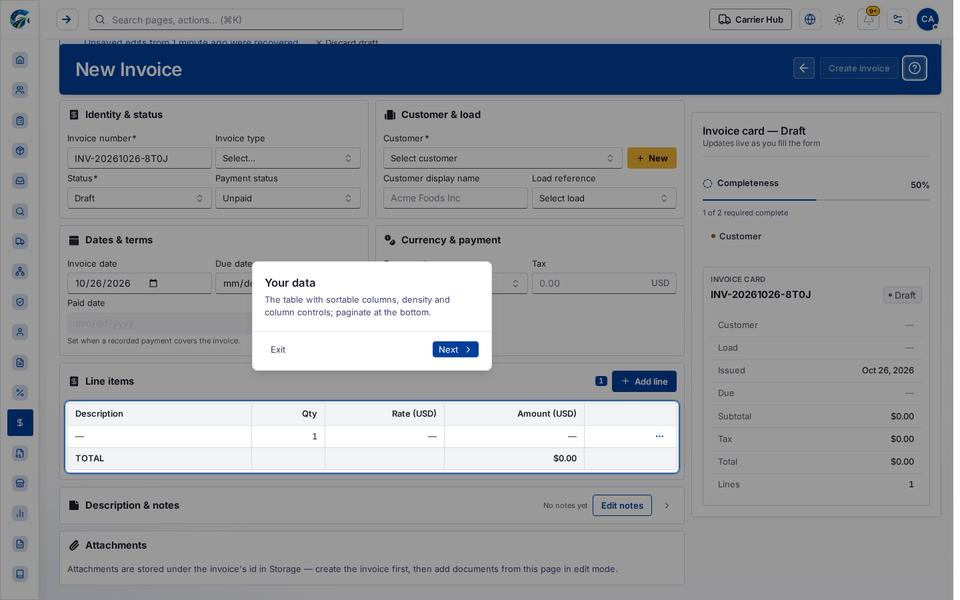
Popover-Guide state
Rowmenu state
Last updated 2026-10-27