

Grennex Knowledge Base

Every Grennex screen, explained.
What each page is for, how to get there, every field and state, and exactly who can use it. Real screens from the Grennex platform, kept current, written for people and for AI agents.
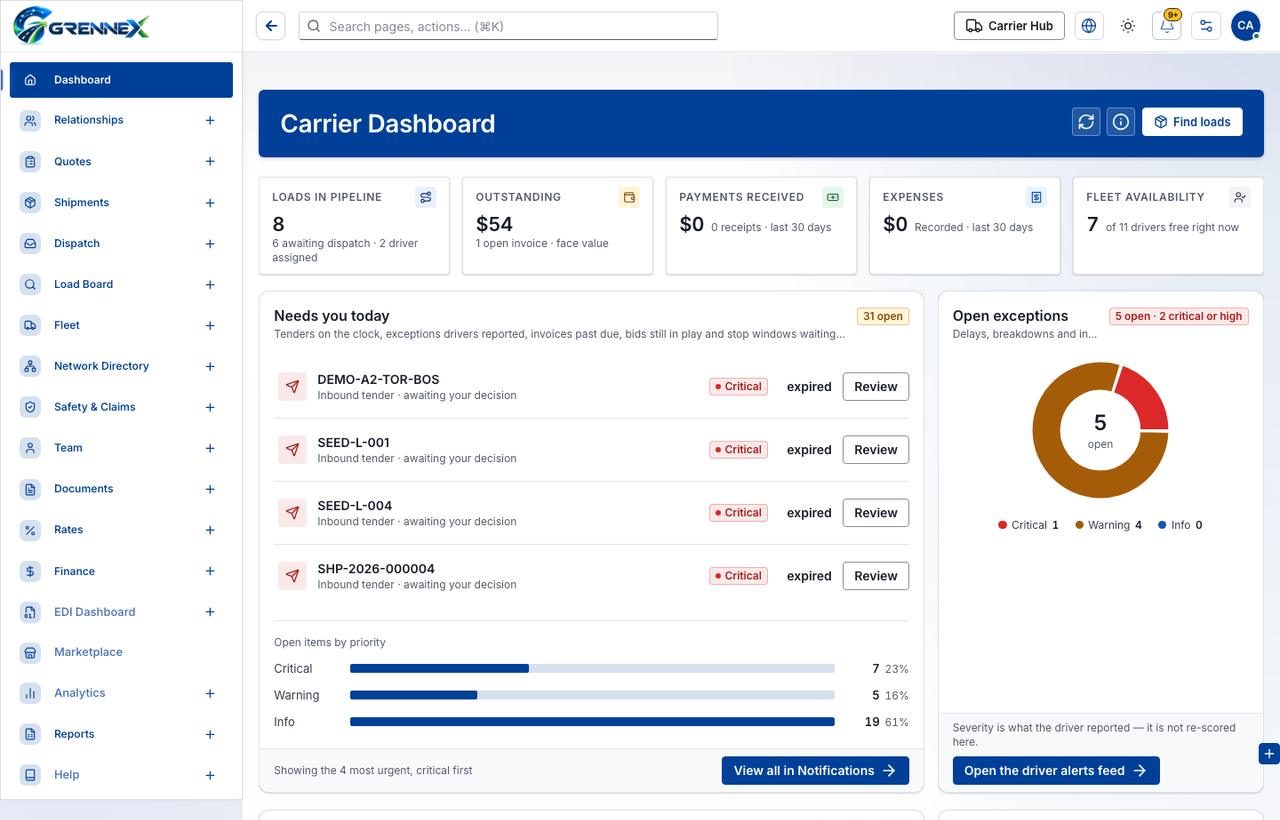
One platform, a portal for every role in freight
Each portal is documented page by page. New portals appear here the moment they are published.
Carrier
Quotes, shipments, dispatch, the load board, fleet, finance and your whole network, run from one portal.
LiveDriver
Loads, the live trip, inspections, documents and pay, in the driver’s pocket.
Shipper
Book freight, track every load and manage carriers and invoices.
Broker
Cover loads, manage carriers and customers, and keep margins in view.
Owner-Operator
Find loads, run your truck and get paid, as a one-truck business.
Super Admin
Tenants, users, catalogs and platform settings across Grennex.
Everything you need to use a screen with confidence
Start with the core carrier workflows
Start with the core driver workflows
Machine-ready from day one
Point an agent at one file and it knows every Grennex screen: purpose, path, fields, states and permissions.
GET /llms.txt
# the whole knowledge base in one file
GET /llms-full.txt
# one JSON record per page
GET /agent/kb-index.jsonl
Screens show sample data; names from test accounts are hidden. Updated 27 Oct 2026.