

Edit driver
Module: Network Directory · For: Carrier users · Page address: /carrier-portal/networks/drivers/:id/edit
How to get there
Section titled “How to get there”Network Directory → Drivers → (a record) → Edit Driver
Who can use this page
Section titled “Who can use this page”Needs: Edit permission on the Network Directory module.
| Seat | Can open it |
|---|---|
| Owner / Admin | Yes |
| Manager | Yes |
| User | Yes |
Actions on this page and the permission each needs
Section titled “Actions on this page and the permission each needs”| Action | Permission | Notes |
|---|---|---|
| Cancel | Delete on Network Directory | Must be granted on its own (not part of Manage) |
| Save all changes | Edit on Network Directory | Enforced in the app: hidden or disabled without it |
| Set TIN/SSN | Edit on Network Directory | Enforced in the app: hidden or disabled without it |
| Save tax profile | Edit on Network Directory | Enforced in the app: hidden or disabled without it |
| Save compliance | Edit on Network Directory | Enforced in the app: hidden or disabled without it |
| File | Create on Network Directory | Manage also grants it |
| Upload | Upload on Network Directory | Manage also grants it |
What this page tells you
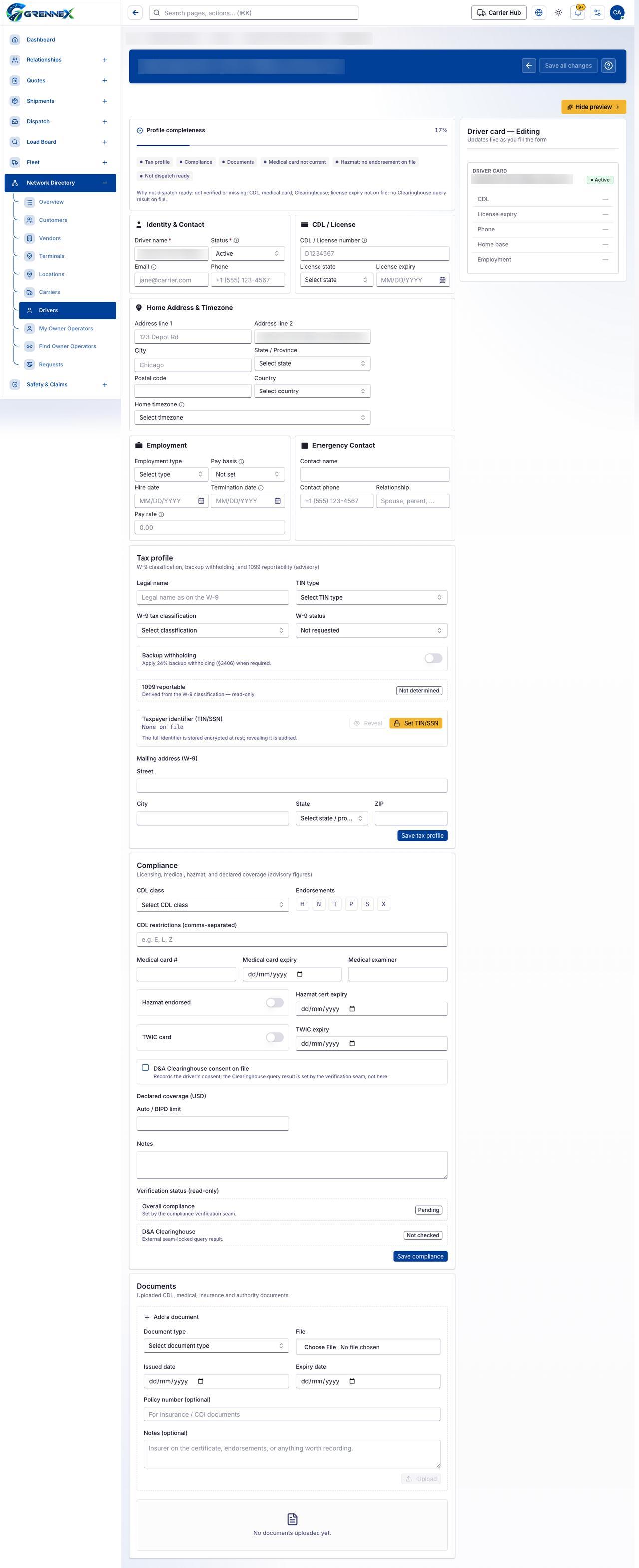
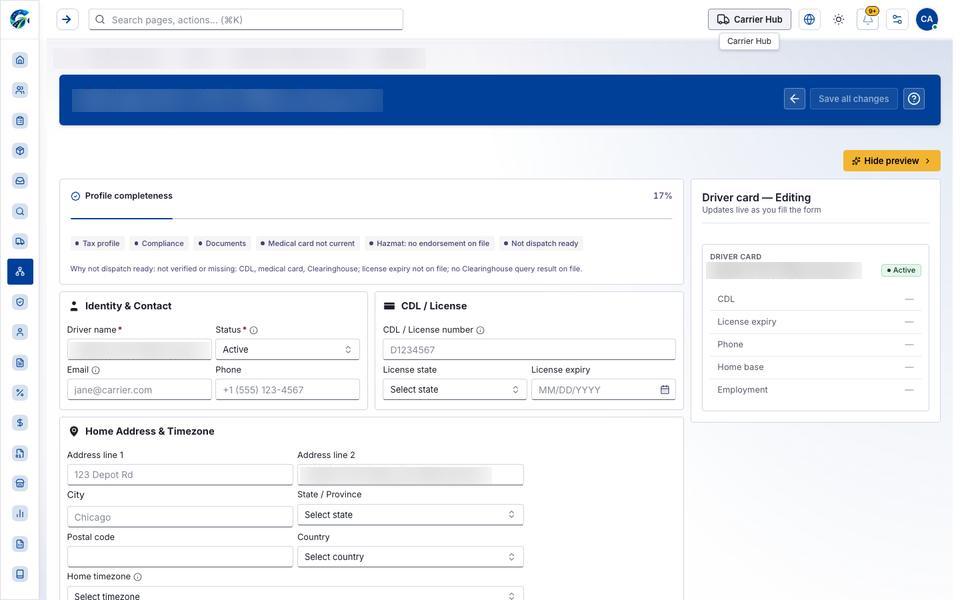
Section titled “What this page tells you”Why not dispatch ready: not verified or missing: CDL, medical card, Clearinghouse; license expiry not on file; no Clearinghouse query result on file. W-9 classification, backup withholding, and 1099 reportability (advisory) Apply 24% backup withholding (§3406) when required.
What you see
Section titled “What you see”- Profile completeness
- Identity & Contact
- CDL / License
- Home Address & Timezone
- Employment
- Emergency Contact
- Tax profile
- Compliance
- Documents
- Driver card — Editing
What you can do
Section titled “What you can do”- Cancel
- Save all changes
- Hide preview
- Reveal
- Set TIN/SSN
- Save tax profile
- H
- N
- T
- P
- S
- X
- Save compliance
- File
- Upload
Fields
Section titled “Fields”| Field | Required | Type | Example |
|---|---|---|---|
| Driver name | Yes | textbox | Jane Driver |
| Status | Yes | combobox | Active |
| No | textbox | jane@carrier.com |
|
| Phone | No | textbox | +1 (555) 123-4567 |
| CDL / License number | No | textbox | D1234567 |
| License state | No | combobox | Select state |
| License expiry | No | textbox | MM/DD/YYYY |
| Address line 1 | No | textbox | 123 Depot Rd |
| Address line 2 | No | textbox | Apt / Unit (optional) |
| City | No | textbox | Chicago |
| State / Province | No | combobox | Select state |
| Postal code | No | textbox | |
| Country | No | combobox | Select country |
| Home timezone | No | combobox | Select timezone |
| Employment type | No | combobox | Select type |
| Pay basis | No | combobox | Not set |
| Hire date | No | textbox | MM/DD/YYYY |
| Termination date | No | textbox | MM/DD/YYYY |
| Pay rate | No | spinbutton | |
| Contact name | No | textbox | |
| Contact phone | No | textbox | +1 (555) 123-4567 |
| Relationship | No | textbox | Spouse, parent, … |
| Legal name | No | textbox | Legal name as on the W-9 |
| TIN type | No | combobox | Select TIN type |
| W-9 tax classification | No | combobox | Select classification |
| W-9 status | No | combobox | Not requested |
| Backup withholding | No | switch | |
| Street | No | textbox | |
| State | No | combobox | Select state / province |
| ZIP | No | textbox | |
| CDL class | No | combobox | Select CDL class |
| CDL restrictions (comma-separated) | No | textbox | e.g. E, L, Z |
| Medical card expiry | No | textbox | |
| Medical examiner | No | textbox | |
| Hazmat endorsed | No | switch | |
| Hazmat cert expiry | No | textbox | |
| TWIC card | No | switch | |
| TWIC expiry | No | textbox | |
| D&A Clearinghouse consent on file | No | checkbox | |
| Auto / BIPD limit | No | spinbutton | |
| Notes | No | textbox | |
| Document type | No | combobox | Select document type |
| Issued date | No | textbox | |
| Expiry date | No | textbox | |
| Policy number (optional) | No | textbox | For insurance / COI documents |
| Notes (optional) | No | textbox | Insurer on the certificate, endorsements |
When there is nothing to show
Section titled “When there is nothing to show”- “No documents uploaded yet.”
Loading, empty and error states
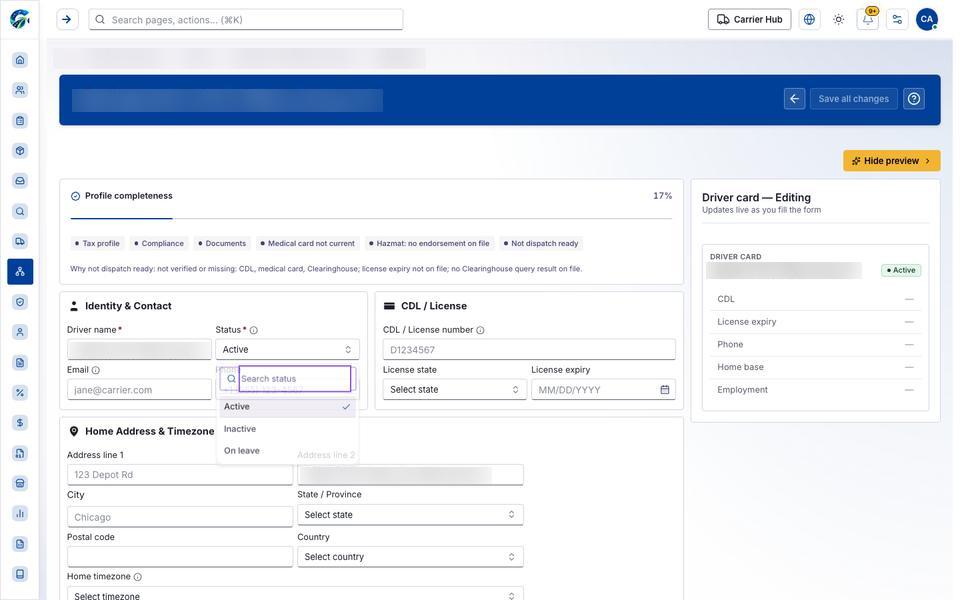
Section titled “Loading, empty and error states”Dropdown-Status state
Loading state
Popover-Guide state
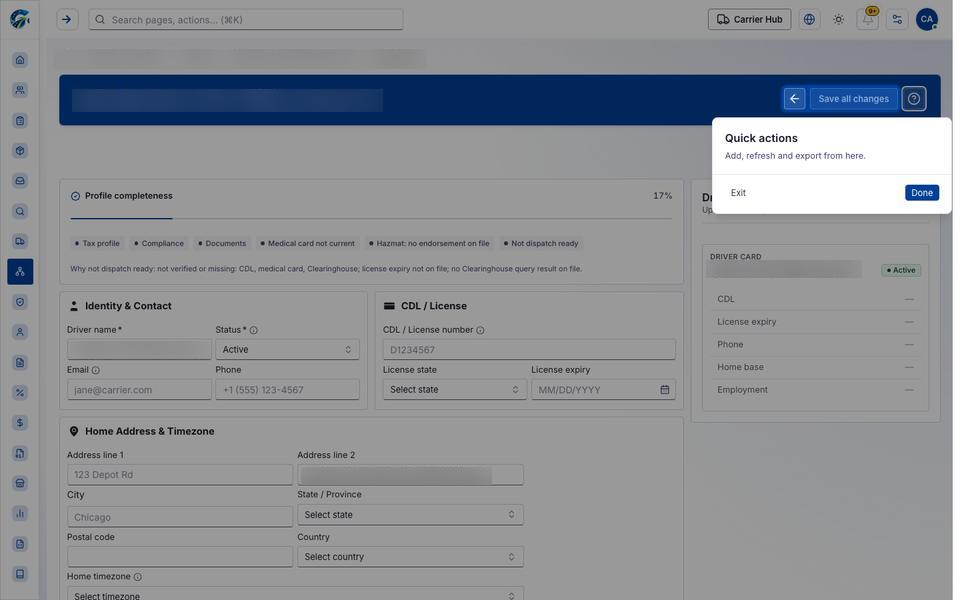
Tooltip state
Last updated 2026-10-27